主题 API
适用版本 1.0.0 | 面向主题开发
插件为 Halo 主题提供三种集成方式,按省事程度从高到低排列:
页面路由
打赏页
- 由插件注册的
RouterFunction 渲染,模板名 reward
- 自动套用当前主题的页头与页脚(依赖 Halo 2.26.0+ 的
layout 契约)
- 插件设置中关闭「启用打赏页面」后返回 404
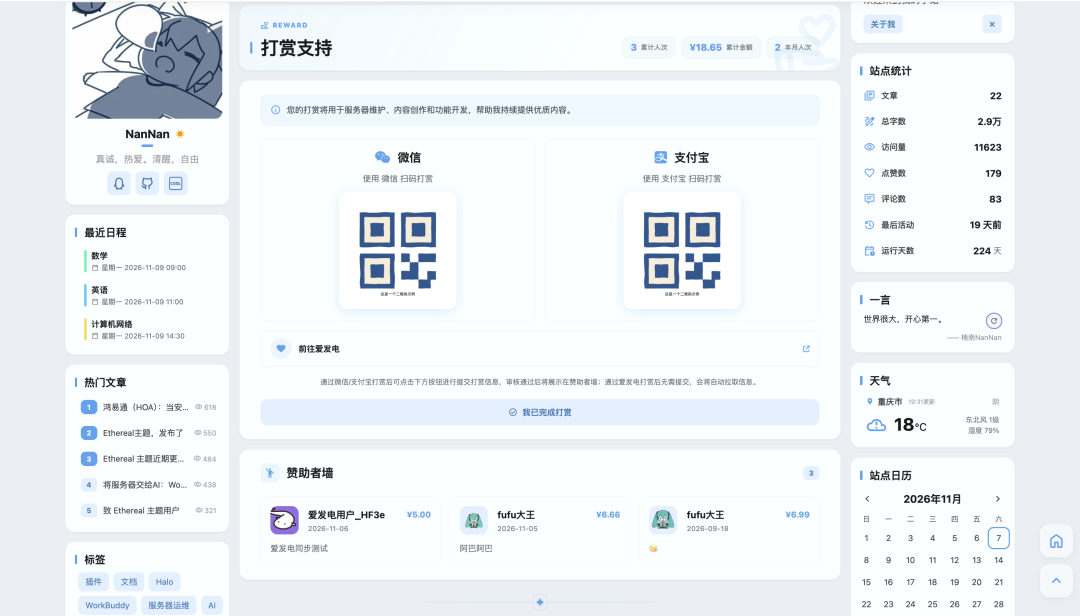
适配效果参考(楠枝小笺):
模板覆盖
在主题的 templates/ 目录下放一个 reward.html,插件会自动改用主题模板渲染。
模板变量
覆盖模板时可直接使用以下变量(均由插件路由注入):
totalAmount / monthAmount 无法通过插件开关关闭;不需要展示时不要在模板中输出。
访客提交
方式一:引用插件模态框(推荐)
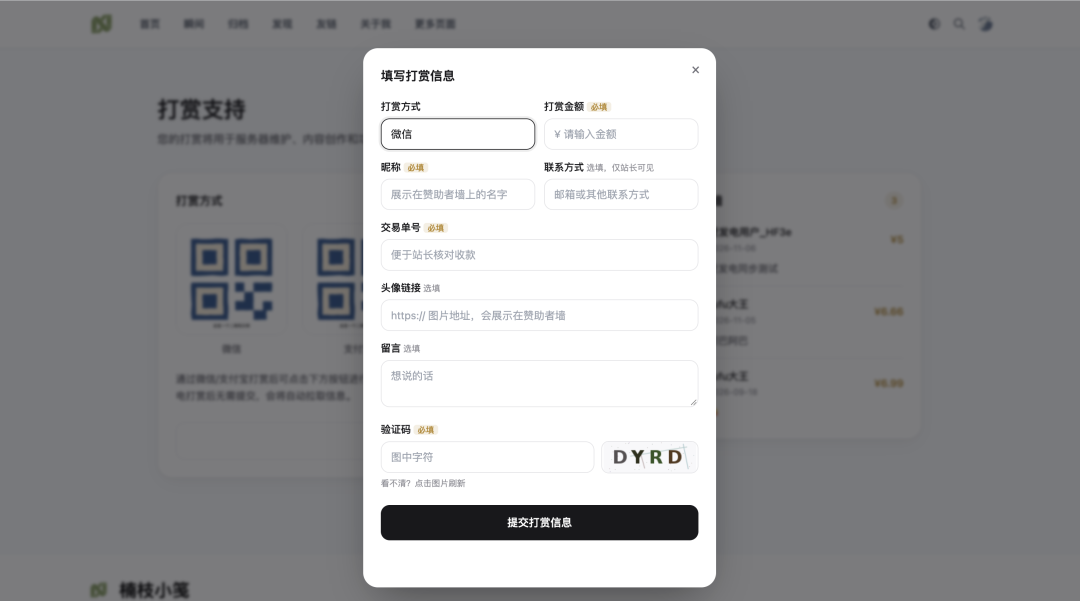
主题只需一行,就能在自己页面的任意位置放一个按钮,点击后弹出插件提供的表单模态框:
<div th:replace="~{plugin:plugin-reward:reward-modal :: button}"></div>
该片段会自动引入所需脚本,按钮样式走内联,不受主题 CSS 影响。
效果参考:
不想用片段时,也可以手动引入脚本后自己放按钮:
<script th:src="@{/plugins/plugin-reward/assets/dist/reward-modal.js}" defer></script>

<button type="button" data-reward-open>打赏支持</button>
任何带 data-reward-open 属性的元素点击时都会打开模态框,所以可以完全使用自己的按钮样式:
<button type="button" class="my-fancy-button" data-reward-open>支持一下</button>
也可以用 JS 主动控制:
window.RewardModal.open(); // 打开
window.RewardModal.close(); // 关闭
模态框内的字段(打赏方式、金额、昵称、交易单号、头像、留言、联系方式、验证码)会按插件设置自动显示或隐藏,主题不需要做任何判断。
「仅登录用户可提交」开启且访客未登录时,模态框会禁用提交按钮并提示先登录;该判断依赖 /public/config 返回的 loggedIn 字段。
方式二:自建表单 + REST API
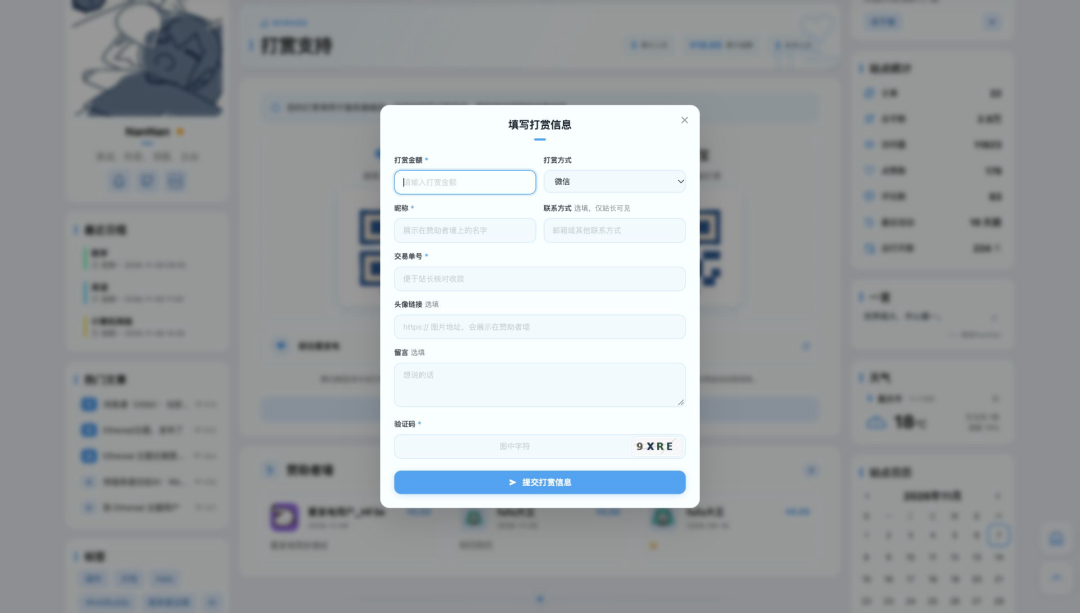
如果主题要完全自定义表单,需要自己调用公开接口(见 REST API)。适配效果参考:
<form id="reward-form">
  <input name="amount" type="number" min="0.01" step="0.01" required />
  <input name="nickname" type="text" maxlength="30" required />
  <select name="method">
    <option value="wechat">微信</option>
    <option value="alipay">支付宝</option>
  </select>
  <textarea name="message" maxlength="200"></textarea>
  <button type="submit">提交打赏信息</button>
</form>

<script>
  document.getElementById('reward-form').addEventListener('submit', async event => {
    event.preventDefault();
    const data = Object.fromEntries(new FormData(event.target));
    data.amount = Number(data.amount);
    const response = await fetch('/apis/api.reward.nanzhiy.cn/v1alpha1/records', {
      method: 'POST',
      headers: { 'Content-Type': 'application/json' },
      body: JSON.stringify(data)
    });
    alert((await response.json()).message);
  });
</script>
若插件开启了图形验证码,提交前还要先取一张验证码并把 captchaId / captchaCode 一并提交。
Finder API
插件注册了名为 rewardFinder 的 Finder,可在任意主题模板里直接调用,无需注入、无需配置 Bean。返回的数据全部为服务端渲染,对 SEO 友好。
方法列表
Finder 返回响应式类型,模板中用 th:with 绑定后即可当普通对象使用。
RewardConfigVo
getConfig() 的返回值。
WallItem
listWall() 返回的分页结果中,items 的元素结构。只包含状态为「已确认」的记录。
RewardStatsVo
使用示例
显示标题、简介与收款码
<th:block th:with="cfg=${rewardFinder.getConfig()}">
  <h1 th:text="${cfg.title}">打赏支持</h1>
  <p th:text="${cfg.intro}"></p>

  <img th:if="${cfg.wechatQr}" th:src="${cfg.wechatQr}" alt="微信收款码" />
  <img th:if="${cfg.alipayQr}" th:src="${cfg.alipayQr}" alt="支付宝收款码" />

  <p th:if="${cfg.paymentTip}" th:text="${cfg.paymentTip}"></p>
</th:block>
显示赞助者墙(前 10 条)
<th:block th:with="wall=${rewardFinder.listWall(1, 10)}">
  <ul>
    <li th:each="item : ${wall.items}">
      <img th:if="${item.avatar}" th:src="${item.avatar}" alt="" />
      <span th:text="${item.nickname}">张三</span>
      <span th:if="${item.amount != null}" th:text="|¥${item.amount}|"></span>
      <p th:if="${item.message}" th:text="${item.message}"></p>
      <time th:text="${item.createdAt}"></time>
    </li>
  </ul>
  <p th:if="${#lists.isEmpty(wall.items)}">还没有公开的打赏记录</p>
</th:block>
显示统计
<p
  th:with="stats=${rewardFinder.getStats()}"
  th:text="|已有 ${stats.totalCount} 位读者支持,共 ¥${stats.totalAmount}|"
></p>
分页取下一页
<th:block th:with="wall=${rewardFinder.listWall(2, 10)}">
  <!-- wall.page / wall.size / wall.total / wall.items -->
</th:block>
与主题配合的注意事项
- 插件停用时
rewardFinder 为空,模板里引用前先判断 rewardFinder != null,否则主题会抛模板异常
- 文章打赏弹窗的收款码、文案与爱发电地址都从
getConfig() 读取;主题侧不要再存一份
- 赞助者墙的金额显示受插件开关控制,主题不要自行补全金额
- 主题若在文章页提供打赏入口,可直接读取
getConfig() 渲染弹窗,打赏页链接固定指向 /reward
相关文档